Extollo
ex-TOL-ohLatin, verb
I lift up. From ex, out and up, and tollo, I lift.
Romans used it for raising a building, and for praising a person. English kept the second sense as extol: to lift something up in words.
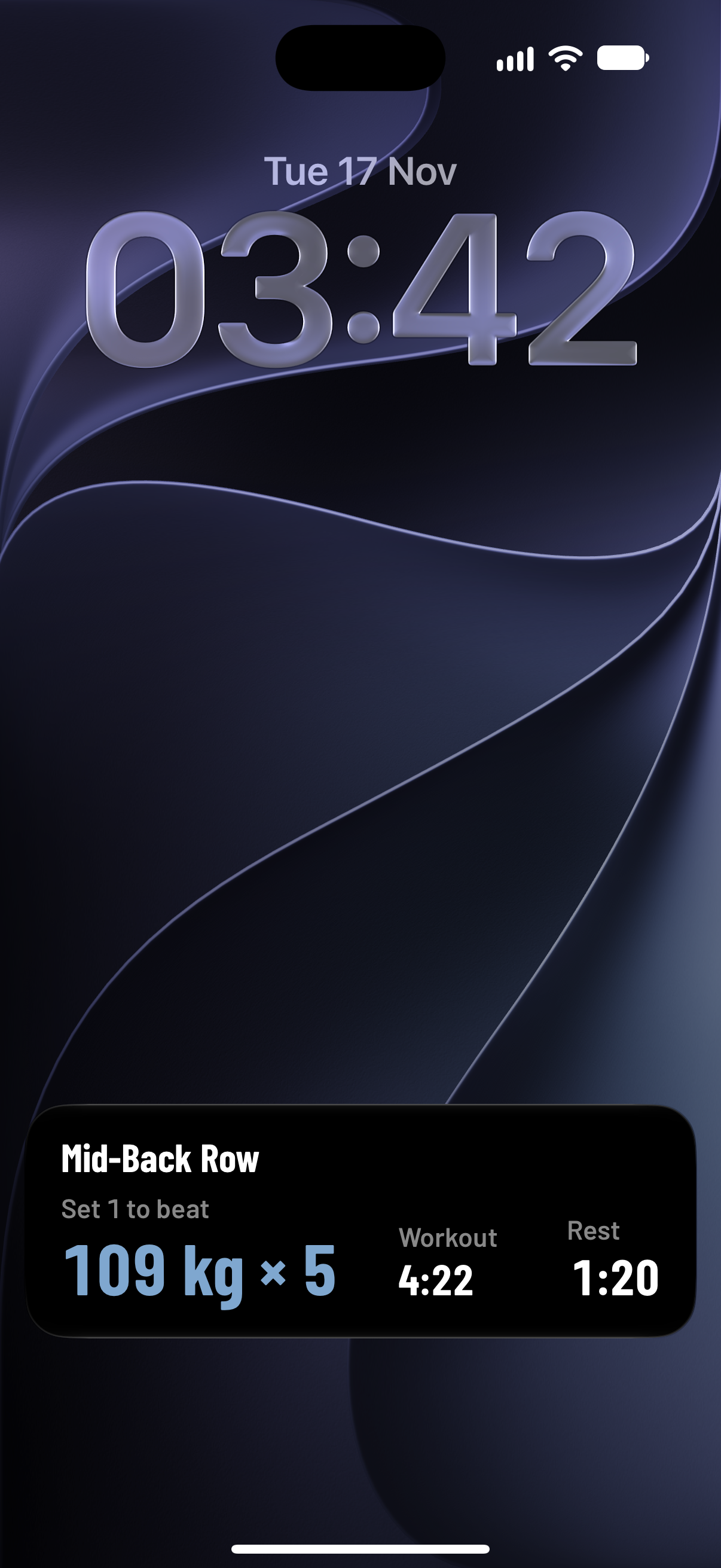
Extollo fills in every set with what you did last time, then tells you if you beat it.
Free. The logbook stays free.
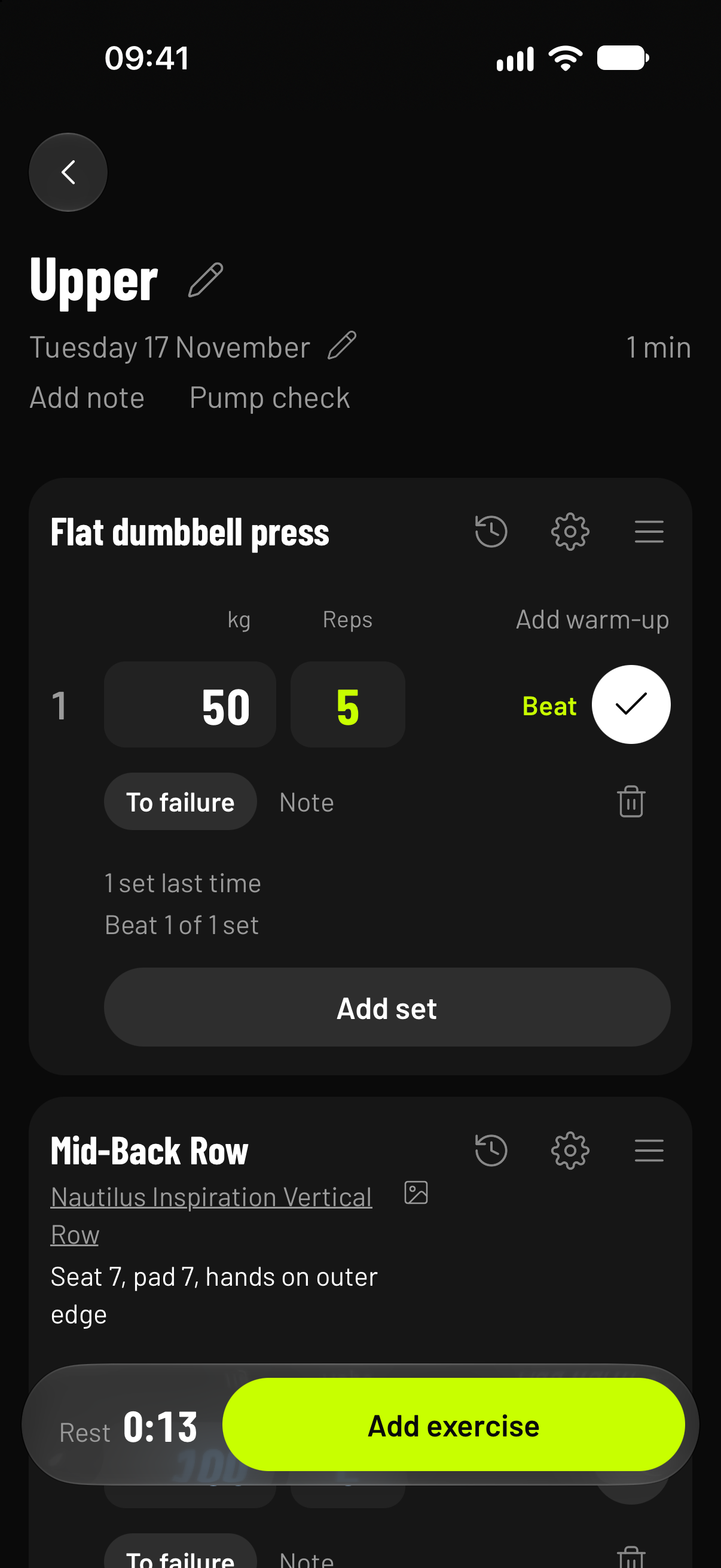
Every set is judged against the same set last time. Change today’s numbers and see.
Last time 60 kg × 8
Chest press
Beat. Same weight, one more rep.
Top of the range. Add weight next time.
Every set opens with the same set from last time, in blue. Type over what changed.
A set is logged the moment it has reps, so there’s no Log button to forget.
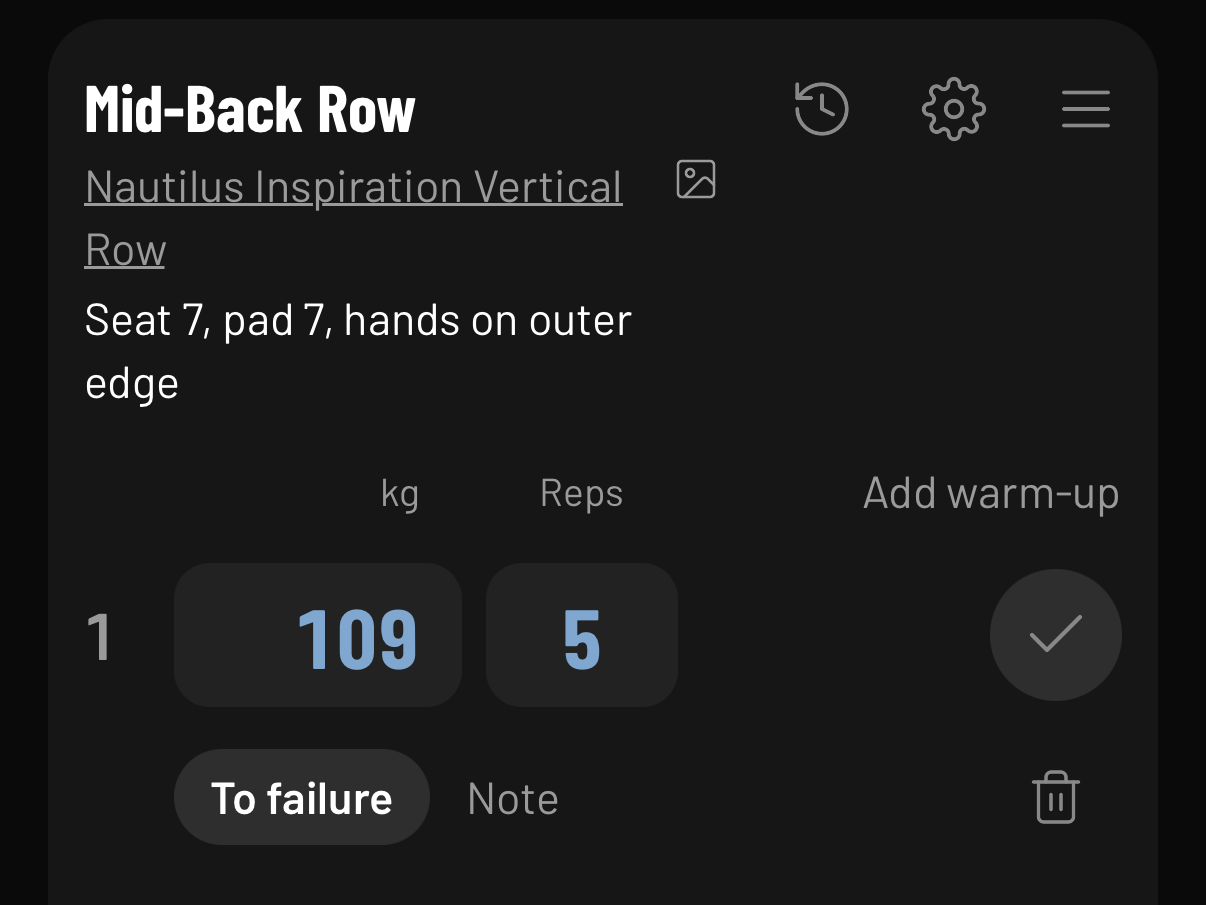
Add them above set 1, one line each. They’re never judged and never change your set numbers, so set 1 is always compared with set 1.
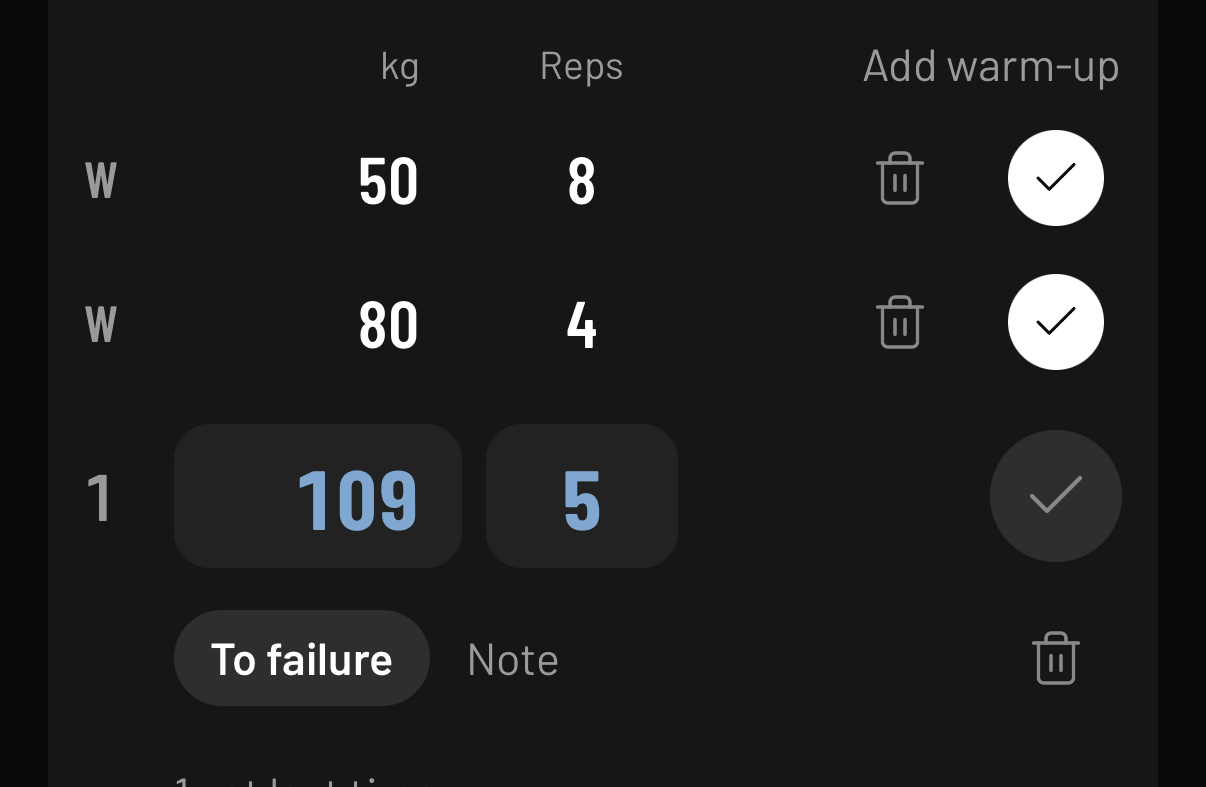
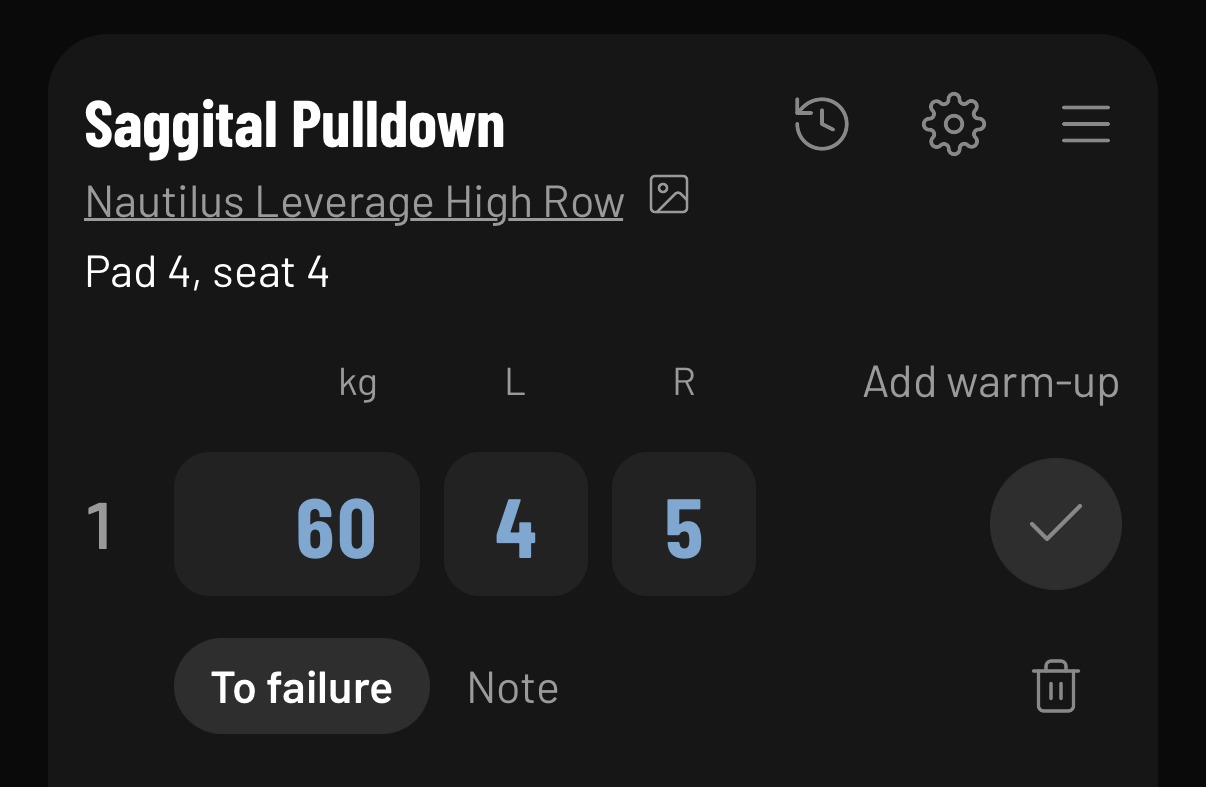
Pick the brand and model. A chest press on one machine isn’t a chest press on another, so their weights are never compared.
Your seat and pad settings sit under the name, every session.
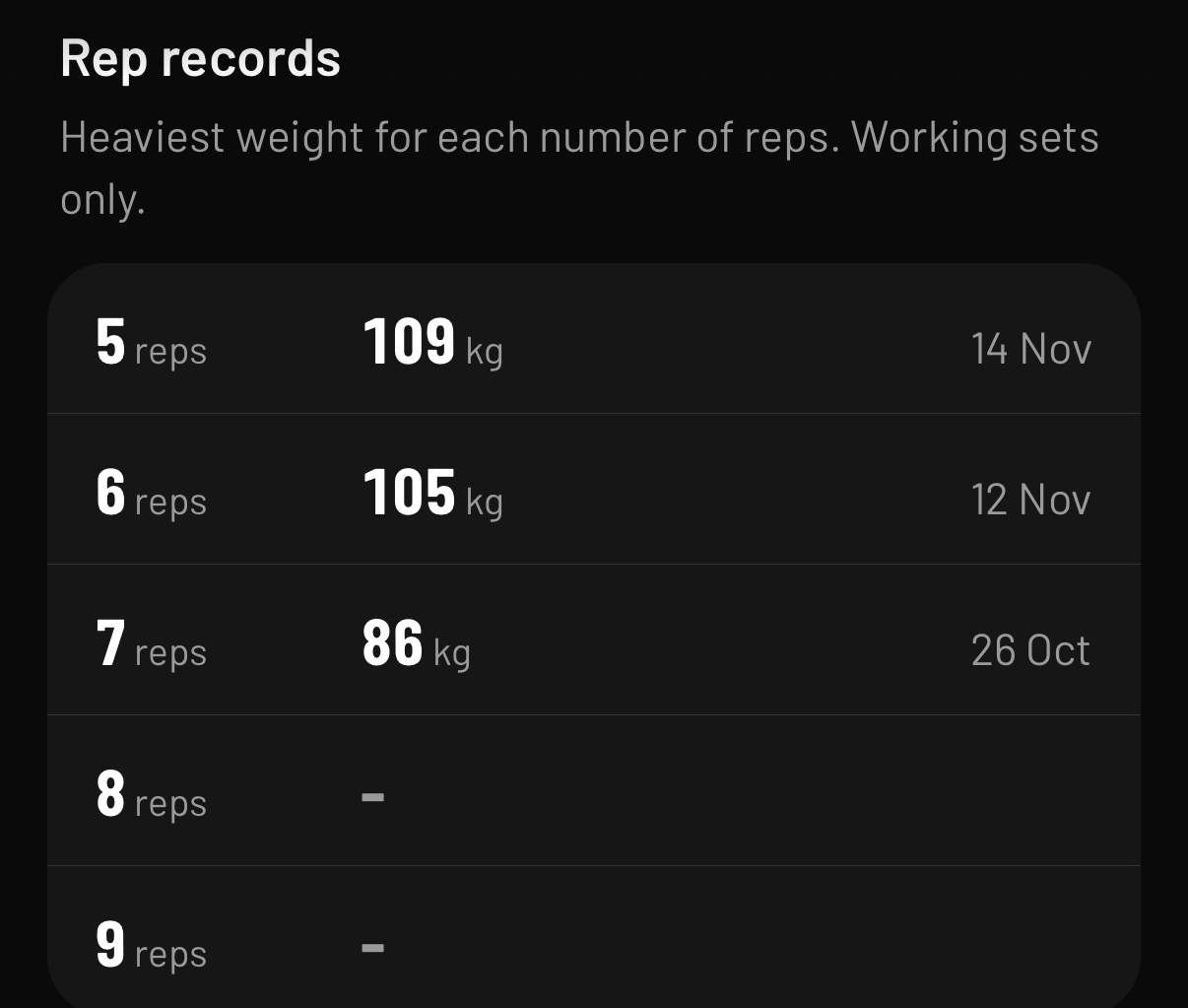
Your heaviest weight at every rep count, on that exact machine, with the date you did it.
No estimated one-rep max: every number is a set you lifted.
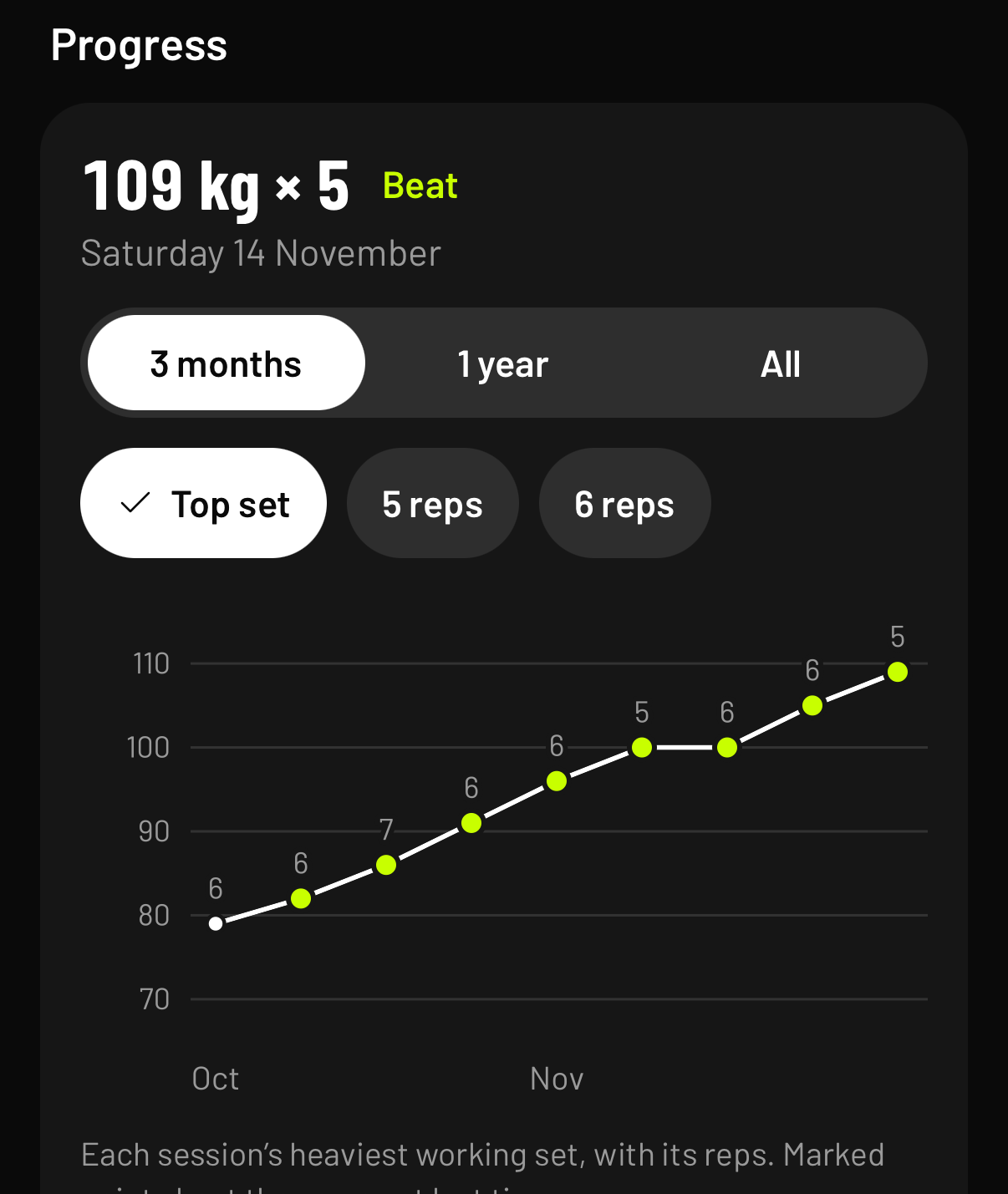
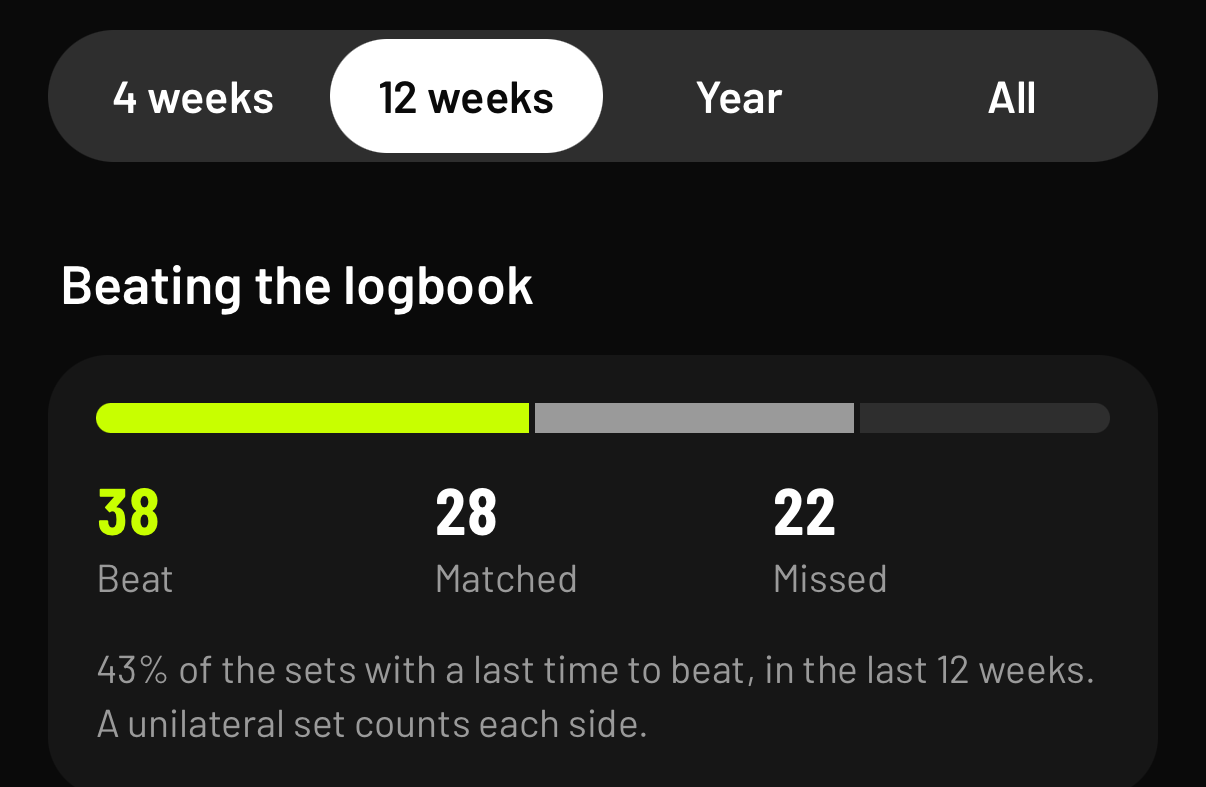
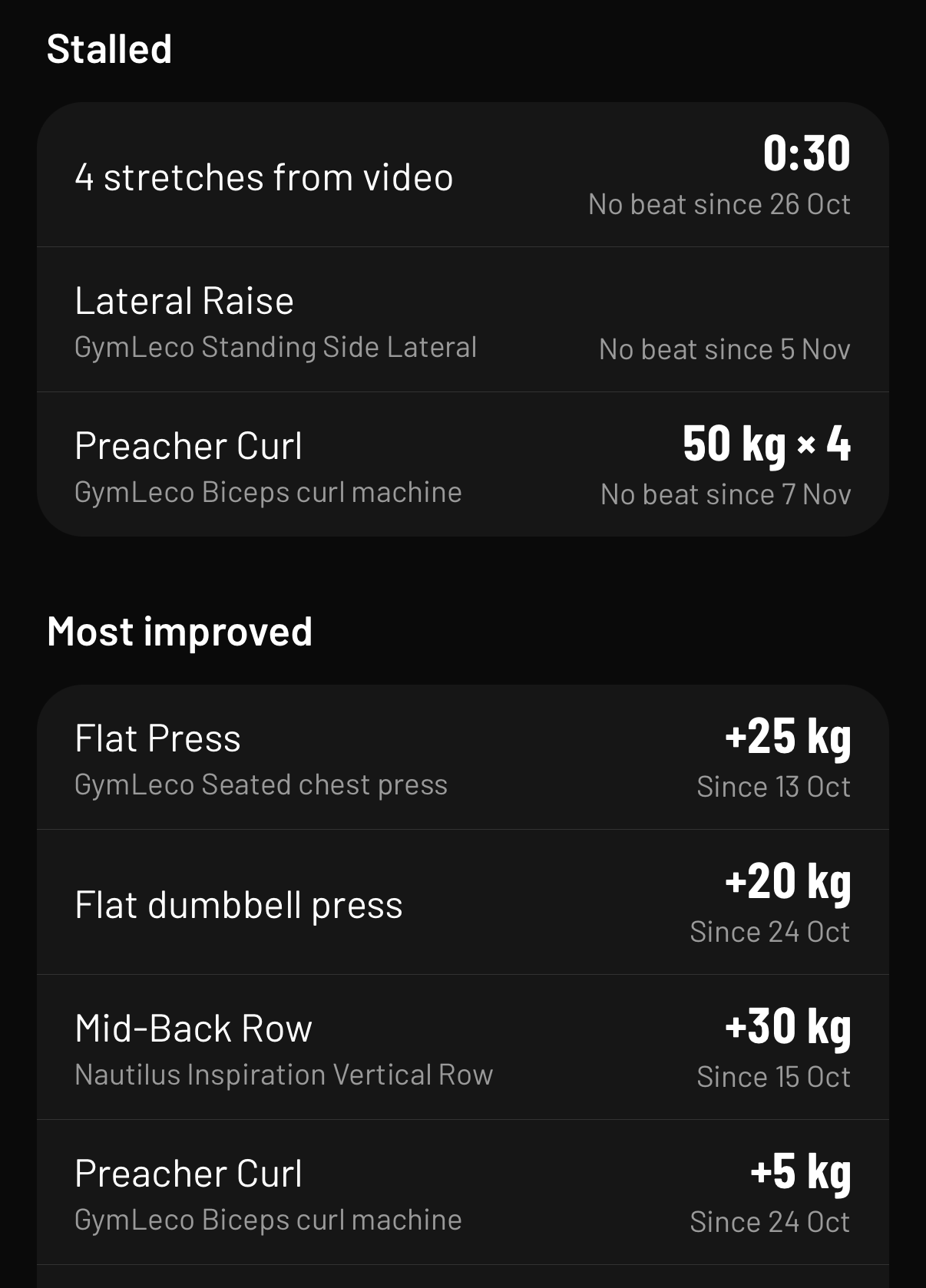
How often you beat last time. Which lifts haven’t moved in three sessions. Which have moved most.
And Next routine, which follows the order you rotate your routines, not the day of the week.
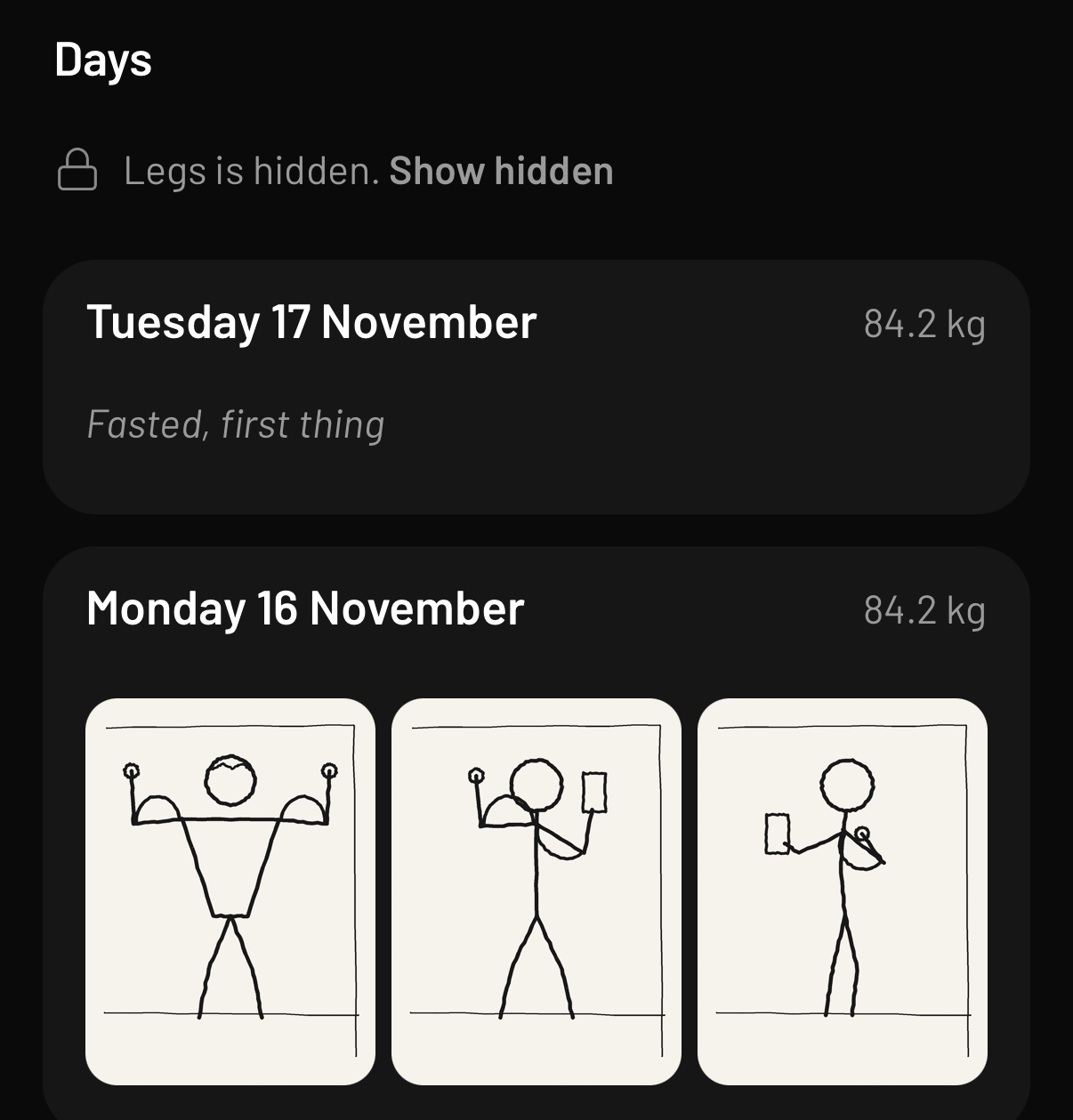
Food, daily check-ins and a Today screen are there if you want them, and off until you switch them on.
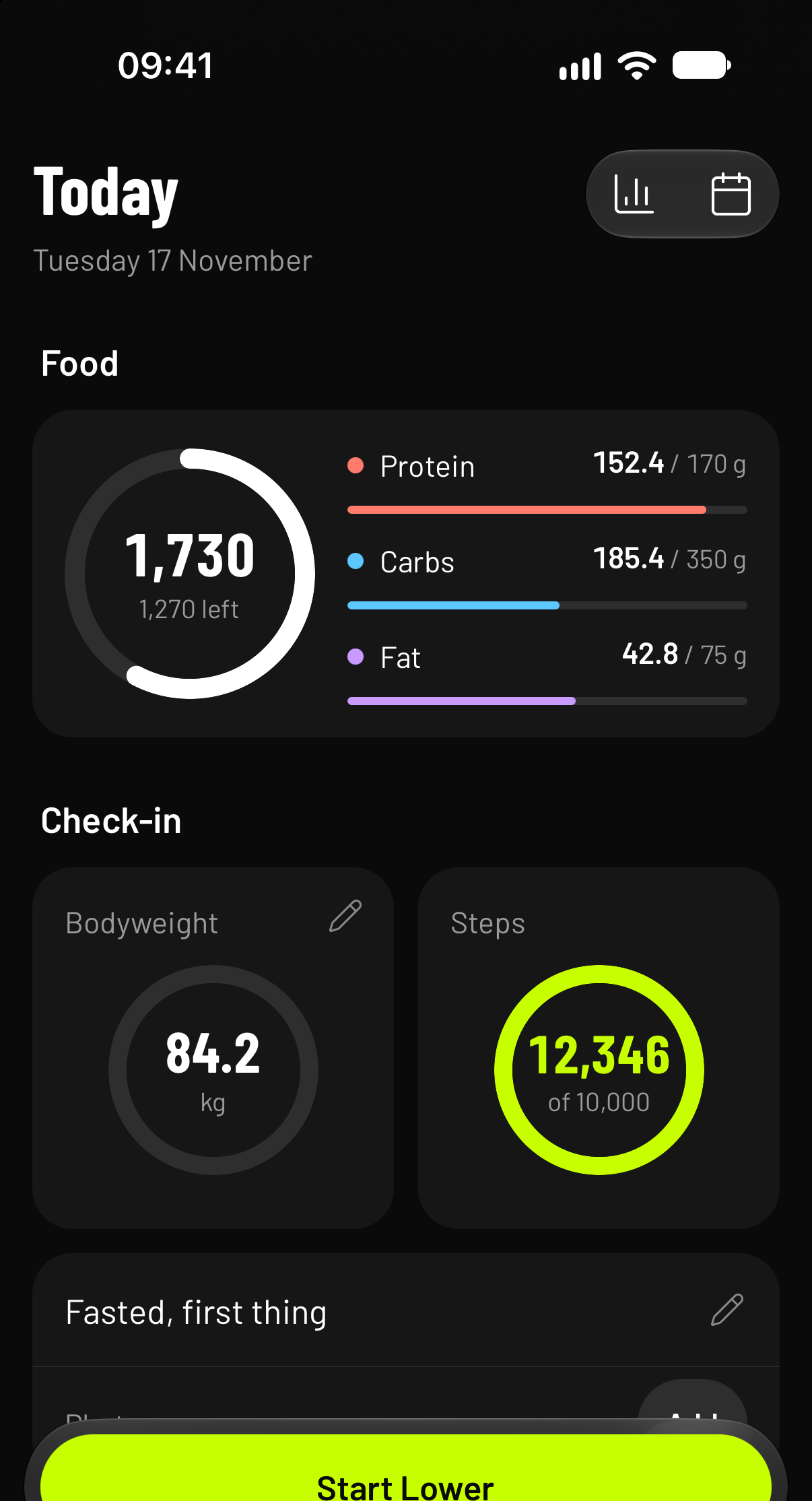
Your food, steps, weigh-in and next workout on one screen.
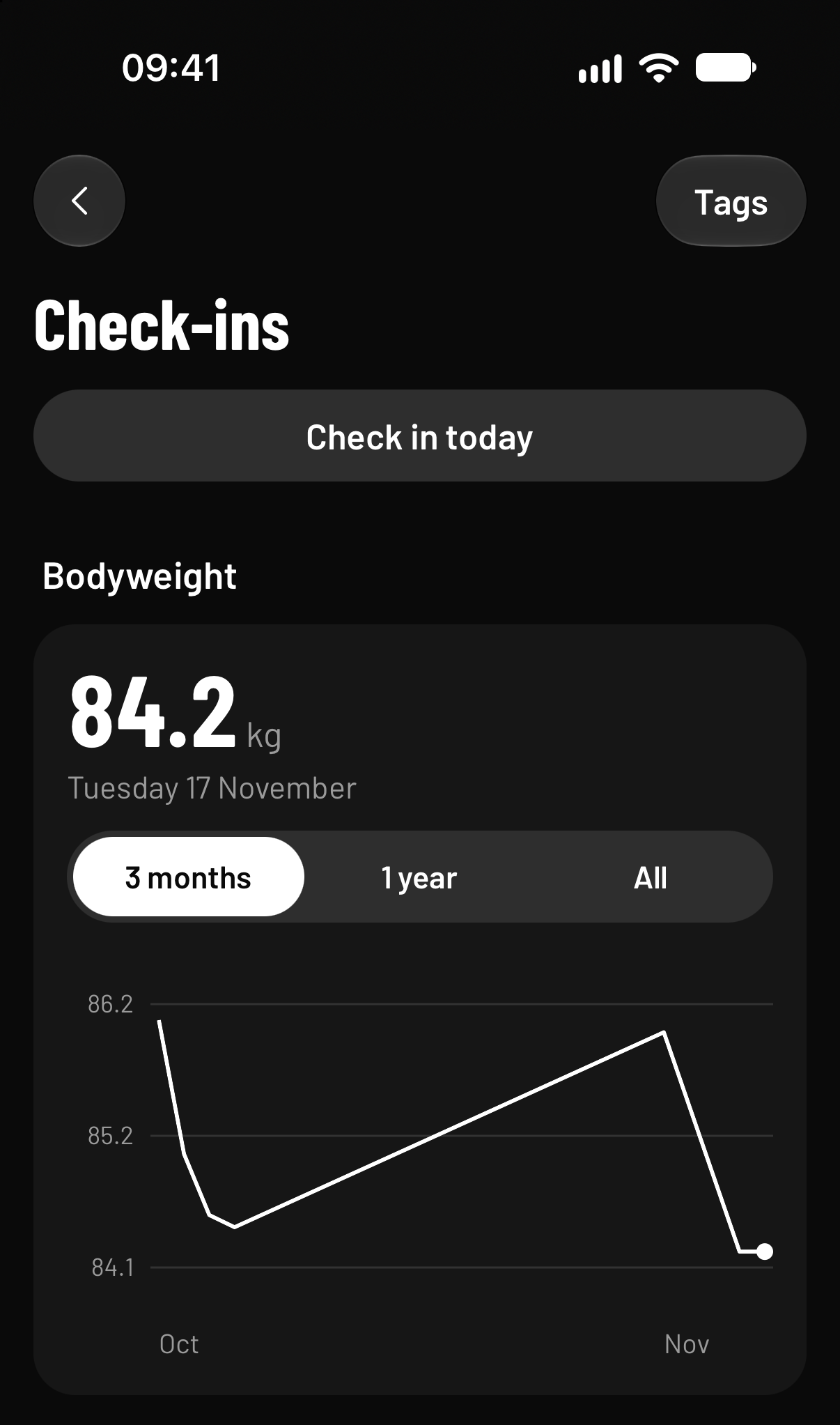
Bodyweight, photos and a note on any day, rest days included, with a chart over time.
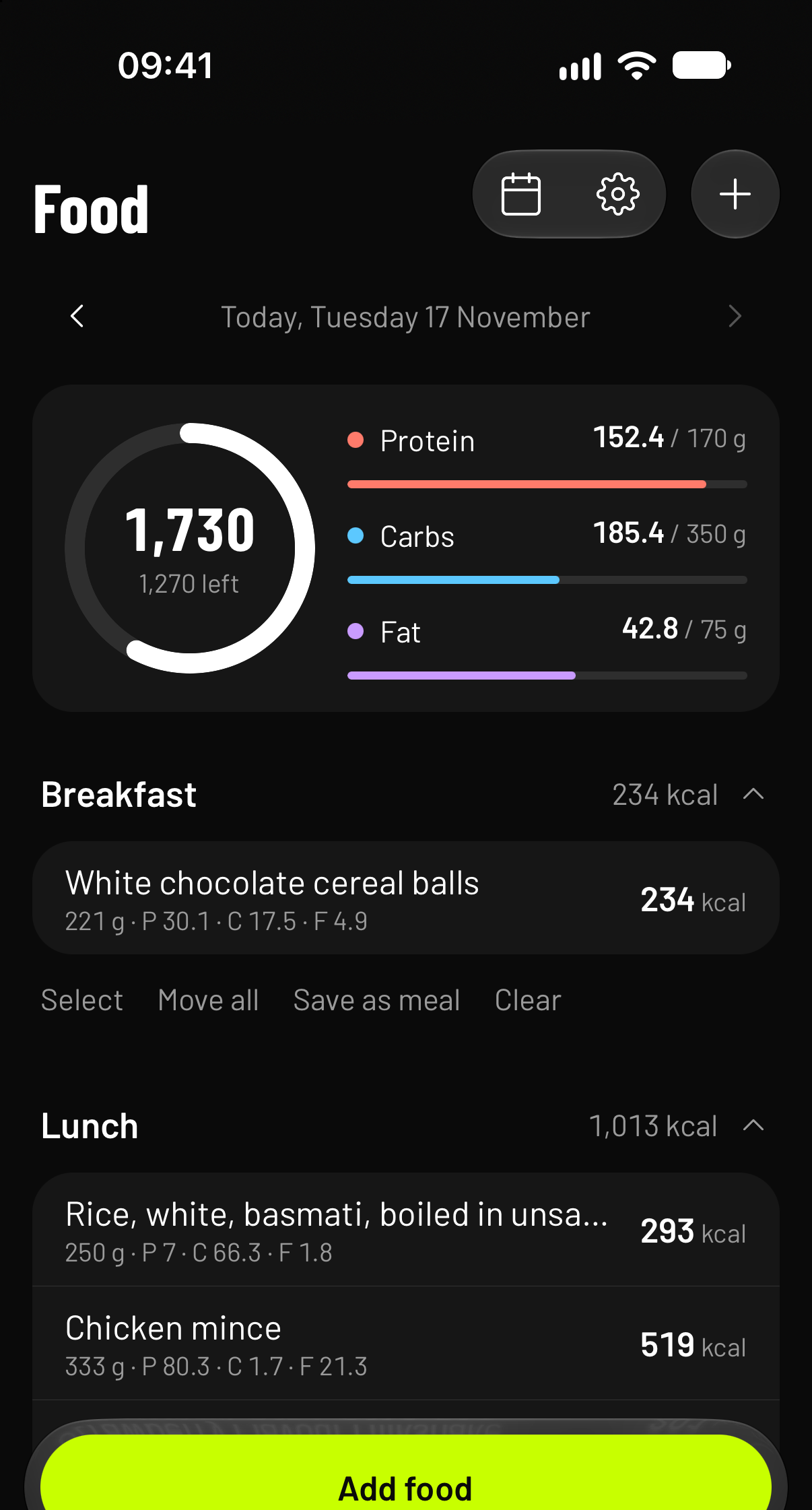
UK foods built in. Scan a barcode, or the label when nobody knows the barcode. Targets for calories and macros.
The logbook is free, and it stays free.
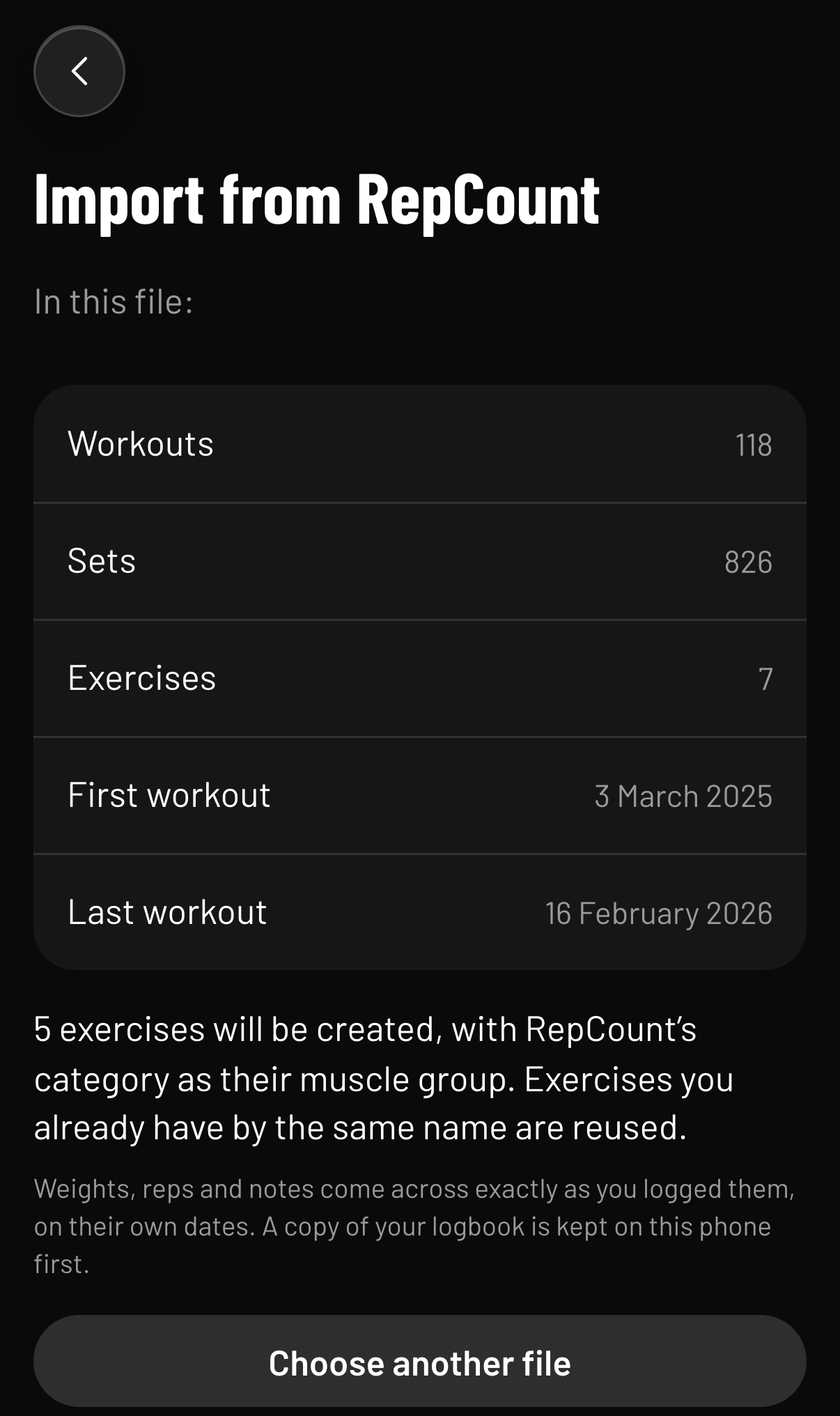
Moving from RepCount? Every set comes with you, exactly as you logged it.
Every set keeps its date. Blank sets stay blank. Import the same file twice and nothing is added twice.
Find them by username, then tick what they can see: workouts, bodyweight, check-in notes, food and targets. Photos are never shared. Disconnect at any time and their access ends straight away.
Send a programme that loads straight into the logbook, set calorie and macro targets, and leave a note on an exercise. The dashboard shows every client’s sets, last time against today.
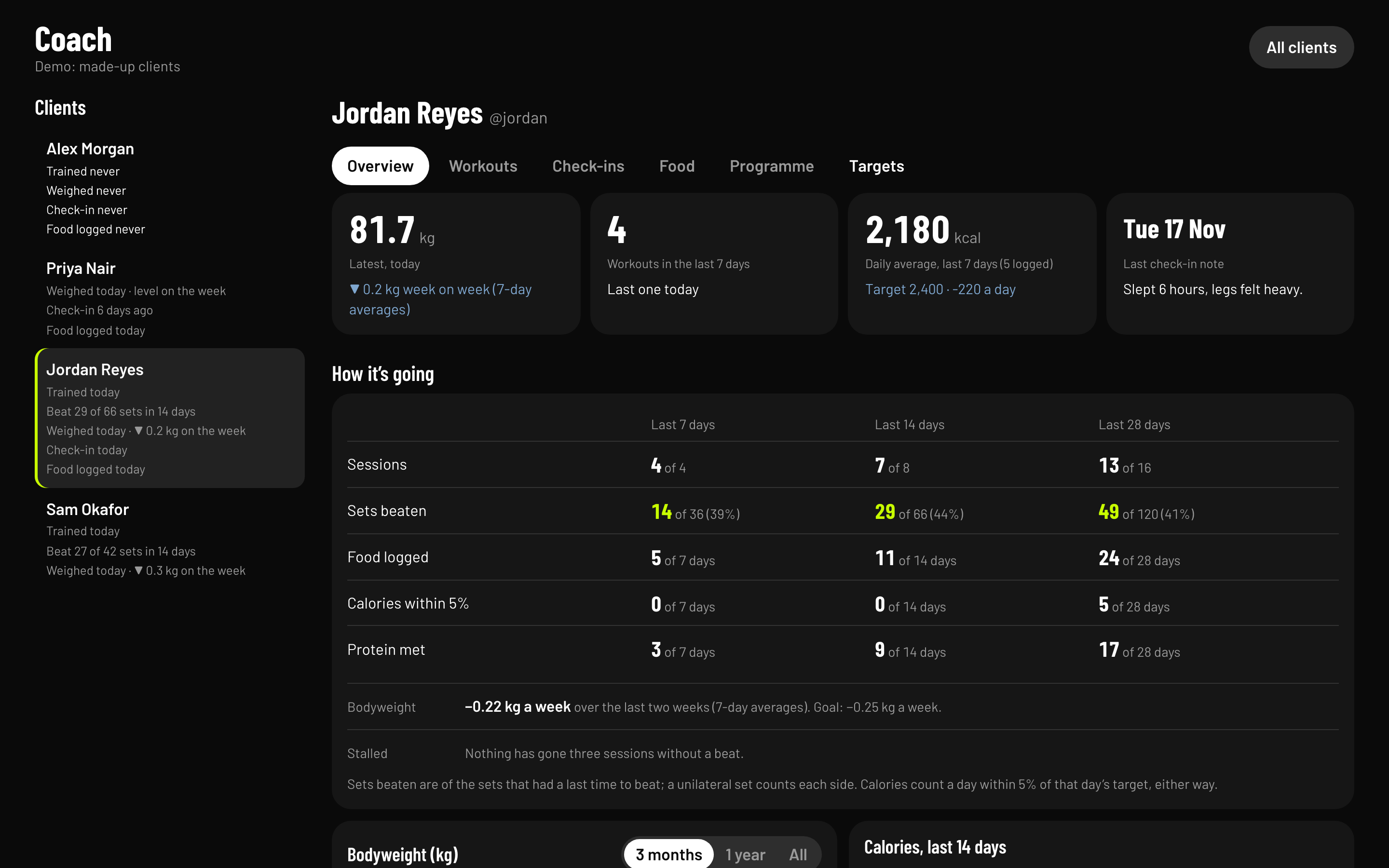
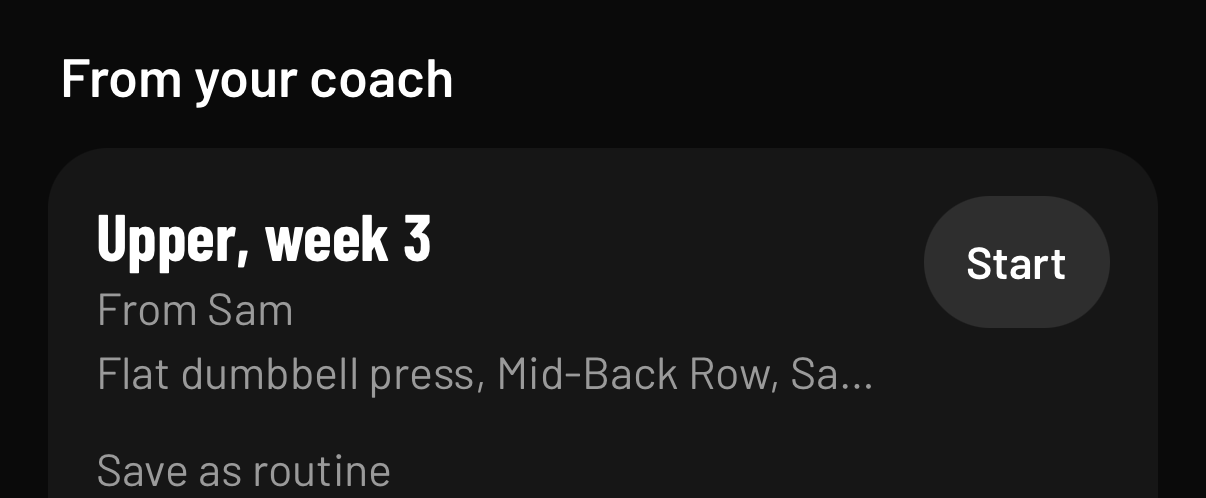
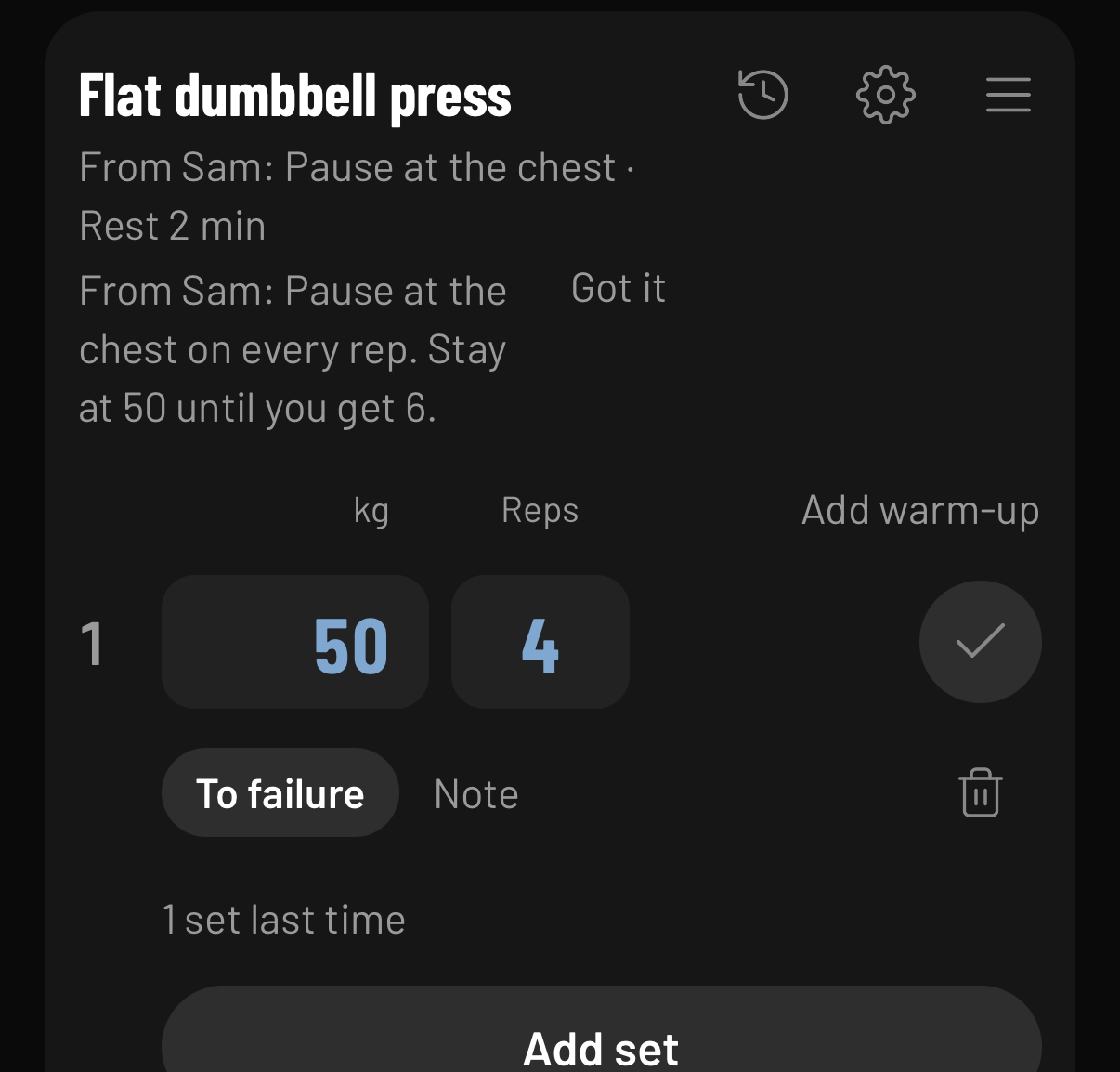
Shown with made-up clients and a made-up coach, Sam.
Coaching on Extollo is by invitation for now. Email hello@extollo.app.
The Mehdi Method’s programmes are built in Extollo.
ex-TOL-ohLatin, verb
I lift up. From ex, out and up, and tollo, I lift.
Romans used it for raising a building, and for praising a person. English kept the second sense as extol: to lift something up in words.
The iPhone app is in a public beta, through TestFlight, Apple’s app for trying apps before release.
The web version is the earlier logbook: last time, verdicts, history and backups, without the newer extras. It works on Android too.
One email, the day Extollo is on the App Store. Nothing else, and it has a link to take you off the list. You can also take yourself off on the support page.
We’re @extollo.app on TikTok: what’s new in Extollo, as it happens.
Follow on TikTokYes. Logging, last time, verdicts, setup notes and your history are free, and always will be. Some extras may be paid one day; we’ll say so clearly before anything changes.
Not yet. On Android, use the web version in your browser. It’s the earlier logbook, without the newer extras.
Yes. The iPhone app keeps your logbook on the phone, so the gym’s basement doesn’t matter. If you’re signed in, it catches up when you’re back online.
No. Signing in with Apple is optional. It means a lost or new phone doesn’t lose your training.
Without an account, everything stays on your phone. Sign in and your logbook is also saved online, with Supabase, in the EU (Paris). Delete account, on Profile, removes everything online straight away.
Yes. Export a CSV from RepCount, then in Extollo tap Back up on your workouts, then Import from RepCount. Every set keeps its date.
Only what you tick: workouts, bodyweight, check-in notes, food and targets. Never photos. You can change the ticks or disconnect at any time.
No. Extollo is for tracking training. For pain or injury, see a physio or GP.
More on the privacy page and the support page, or email hello@extollo.app.